
AI agents and remote access
Talk to MetaTrader in plain words. The mt4-quote-bridge-cli
skill teaches an AI agent to use QuoteBridge: ask for a gold chart, a bitcoin quote, your funds or a trade, and the
agent runs the mt4-quote-bridge command-line client against the app for you.
The agent can run on the same PC as QuoteBridge, or anywhere else once you open a tunnel to the app with ngrok.
Install the skill
You need Node.js 22.12 or later on the computer where the agent runs.
Coding agents (Claude Code, Codex, Cursor and others): run
npx skills@latest add https://github.com/ross-jill-ws/mt4-quote-bridge-cli
Bot apps such as Grok Bot, Dots or Muse: paste the same line into the chat and ask the bot to install it:
Install this skill:
npx skills@latest add https://github.com/ross-jill-ws/mt4-quote-bridge-cli
The bot adds mt4-quote-bridge-cli to its skill library.
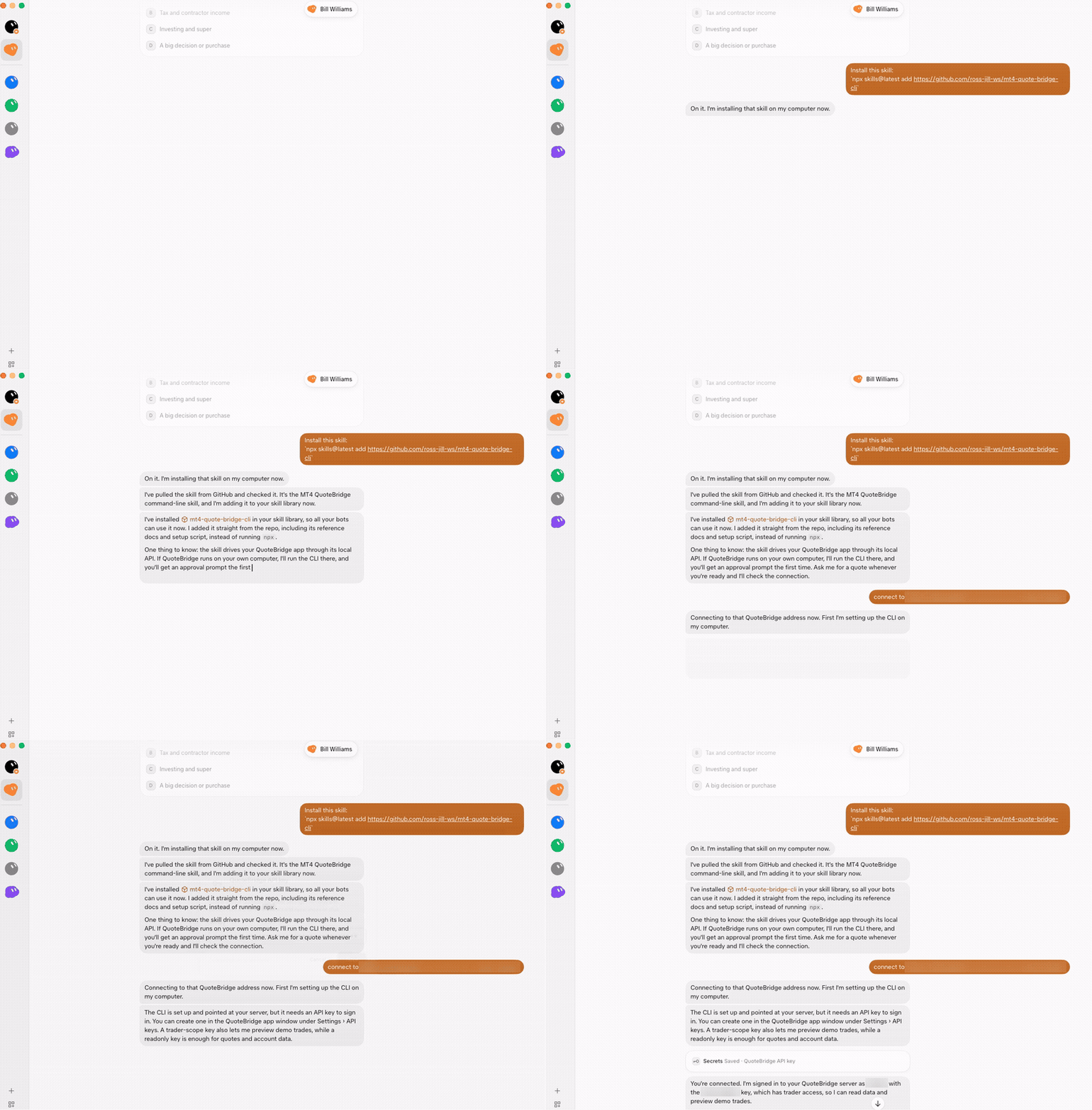
You don't install the CLI yourself. The first time the agent uses the skill, the skill installs mt4-quote-bridge
from GitHub, which can take a minute. Later it updates the CLI when needed. Run npx skills@latest update to update
the skill itself.
Connect the agent to the app
- In the QuoteBridge app window, open Settings › API keys and create a key. A
readonlykey reads everything. Atraderkey can also take screenshots and preview and send trades. The key is shown once, so copy it. - Tell the agent where the app is:
- On the same PC: the default,
http://127.0.0.1:5580. Just ask for a quote. - On another computer: the ngrok address from the next section, for
example "connect to
https://<your-address>.ngrok-free.dev".
- On the same PC: the default,
- Give the agent the key when it asks. Bot apps usually keep it in their secrets store.
The agent then confirms it is signed in, and says which key it is using and whether that key can trade.
Use it from another computer with ngrok
QuoteBridge answers only on its own PC, at http://localhost:5580. To reach it from a bot in the cloud, a laptop or
your phone, open a tunnel with ngrok on the PC that runs QuoteBridge:
ngrok http 5580 --host-header=rewrite
ngrok prints a Forwarding address such as https://<your-address>.ngrok-free.dev. Give that address to the
agent, or use it with the CLI:
mt4-quote-bridge auth server https://<your-address>.ngrok-free.dev
mt4-quote-bridge auth login
- Don't leave out
--host-header=rewrite. Without it, the app refuses every request through the tunnel (Unexpected host), and the CLI says the address "does not answer /api/v1/info". The app does this to protect you from malicious websites. - If you changed the HTTP port in Settings › Connection, use that port in place of 5580.
- The tunnel lasts as long as ngrok runs. Close ngrok to stop it.
Anyone who has the address can reach the app, but every request except the version check needs an API key. Over a
tunnel, give the agent a readonly key unless you want it to trade. Revoke a key in Settings › API keys the
moment you no longer trust where it went. The tunnel serves the agent and the CLI; the app's dashboard stays in the
app window.
What to ask
Ask in your own words. The agent picks the command, and the skill tells it what each one needs.
| Ask | The agent runs |
|---|---|
| "Current quote of bitcoin" | markets quote |
| "Show me the chart of the gold price" | screenshot chart: it switches your app window to that chart and sends you the picture |
| "Is everything still live?" | screenshot feeds, terminals list |
| "Last 50 H1 candles of EURUSD" | markets candles |
| "RSI on EURUSD H4" | markets indicator with a bundled or your own indicator package |
| "How much margin do I have left?" | accounts funds |
| "What's the lot step and stop level for GOLD?" | accounts conditions |
| "What trades do I have open?" | positions list, orders list |
| "Buy 0.1 lot of EURUSD with a 20-pip stop" | orders preview, then, once you say yes, requests execute |
| "Move my stop loss to 1.0850" or "Close that trade" | positions modify or positions close, as a preview first |
| "Export a year of H1 gold to CSV" | markets export |

Trading through an agent
The agent never trades on its own. Every new order, change or close is a preview first: the agent shows you the symbol, side, lots, price and stops, and sends it only after you approve that exact preview. It sends each order once. If the outcome is unclear, it checks what happened, and it never sends the order again.
The same rules apply as in the app: Demo trading must be on, the lot cap and slippage come from Settings › Trading, and a real account stays read-only until you opt in to Real-account trading. Only the app window changes these settings; no agent can.
This page is docs/agents.md in the app's repository.View on GitHub